
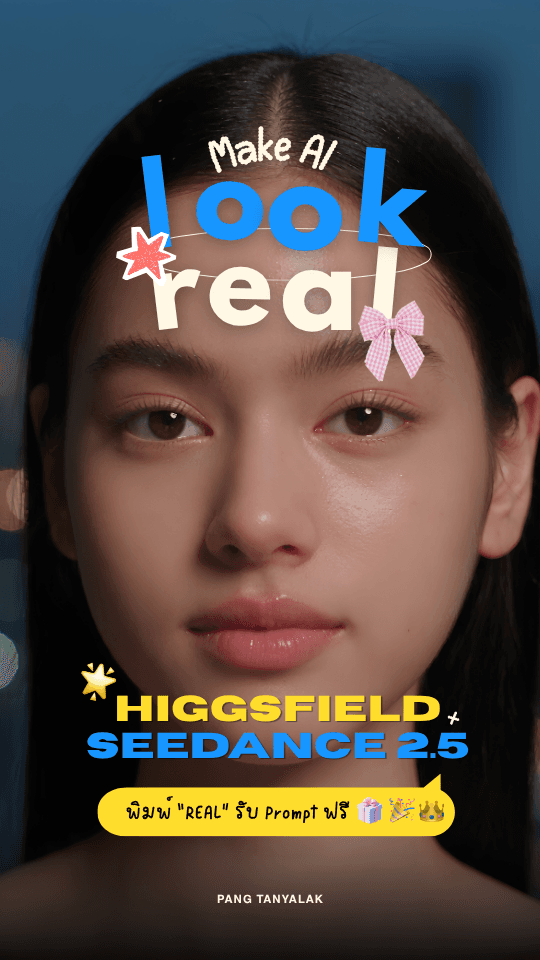
Want Realistic Face Videos With Seedance 2.5? Which Prompt to Use
A prompt that gets Seedance 2.5 to produce a realistic close-up face video needs to be split into 4 layers: the lock layer (face position and size in the frame, camera angle, eye level), the change layer (scene, hair, makeup, mood), the movement layer (blinking, wrinkling the nose, raising the eyebrows) and the negative layer. The full ready-to-use prompt is in the next section, and you can copy it straight into Higgsfield.
ByteDance launched Seedance 2.5 on 31 July 2026, stating that it extends continuous video generation from 15 seconds to 30 seconds per run and tackles the "fake look" that is the classic weakness of AI video by systematically refining the detail of object textures, skin, eyes, lighting and colour saturation (ByteDance Seed, 31 Jul 2026). The result in face close-ups is visibly different from the previous version to the naked eye. You can see an example we tested in this clip on TikTok.
How do you write a prompt that locks the face so clips join seamlessly?
The reason to lock both the position and the face size in the frame, not just the camera angle, is that when you join several clips together, viewers notice the face jumping to another position or changing size. If the whole set is locked, changing the hair and the scene becomes a transition that looks deliberate, not a mistake.
Here is a prompt that works in practice. You can copy and paste the whole block.
Create a video of a Thai teenage girl, around 18-20 years old, with natural Korean-style makeup, shot as an extreme close-up of the face, with fixed distance and composition.
Very important: lock the face position and the camera so they stay the same in every shot.
The face stays in the same position, the face size in the frame stays the same, the camera angle stays the same, the camera distance stays the same, the eye level stays the same. No shifting, no zooming, no panning, no change of framing, so that each video can be joined together seamlessly.
In each segment, clearly change the scene + hairstyle + makeup + clothing + mood, for example:
First shot: long loose hair, sheer Korean makeup, bedroom in morning light
Next shot: high ponytail, peach-toned makeup, bright cafe
Next shot: soft waves, pink-toned makeup, dressing room
Next shot: straight hair parted in the middle, nude-toned makeup, city scene in the evening
But the face structure, facial identity, face position and face size in the frame must stay the same in every shot, as if it were the same person changing look and location.
In each shot, add a different small movement, such as blinking, shifting the gaze, wrinkling the nose, raising an eyebrow, pressing the lips together, a faint smile or a very slight head tilt, while keeping the face in the same position in the frame.
Emphasise real human skin, with visible pores, fine vellus hair and natural skin texture. Include real human micro-expressions and micro-movements, with no beauty filter and no smoothing the skin to a CGI finish.
Continuity: same identity, same facial structure, same face position, same face scale, same camera angle, same framing, same eye-line, locked composition across all shots.
Negative: camera movement, zoom, pan, tilt, changing face position, changing face scale, face morphing, identity change, facial distortion, plastic skin, CGI skin, frozen expression, unnatural blinking, warped eyes, inconsistent facial features.
If you adapt it for other work, change only the change layer (scene, hair, makeup, clothing) and the movement layer. Keep the Continuity and Negative lines in full, because those two lines are what stop the face from drifting.
Why is a face close-up the hardest test for a video model?
Because the human brain is trained to read faces more accurately than anything else. Skin that is too smooth, lifeless eyes, blinking at the wrong rhythm, or a face structure that slowly changes during the clip: viewers catch it immediately, even if they can't say what is wrong. Close-ups are therefore where video models fail most often.
The recurring problems have names of their own, and are the reason every term is in the Negative line of the prompt above: face morphing (the face structure changes mid-clip), plastic skin (CGI-smooth skin), frozen expression (a still face that looks like a moving photo) and unnatural blinking. All four make an otherwise beautiful clip unusable, because viewers feel "this isn't a person" before they have a chance to pay attention to the content.
What Seedance 2.5 clearly does better is skin texture down to pores and vellus hair, and the small micro-movements humans make without noticing. In the AI Content Creator workshop we taught for Pisona Group in Phuket (May and June 2026, 40 people per session), the question asked most often was "Why does our AI presenter look fake?" The answer was almost every time that the prompt asked for skin that looked prettier than real life.
How is Seedance 2.5 different from Seedance 2.0?
There are three main differences. One, length: from 15 seconds to 30 seconds per generation, and you can extend the clip several more times while keeping the same character. Two, reference files: you can add 30 images, 10 videos and 10 audio files, 50 files in total in a single run. Three, editing: you can ask for changes to a specific time range, with no need to re-render the whole clip.
The third is the one that saves the most real working time. Before, if the face drifted in a single frame, the only way was to regenerate the whole clip and hope for a better result. Seedance 2.5 supports edit instructions by timestamp and by region (region-level), and the rest of the clip stays the same.
On Higgsfield there are also controls that used to have to be described in text and then left to chance, such as era, film genre, lighting angle, physics, lens, mood and cutting rhythm. They are now offered as options you can click, along with tools for controlling camera movement and staging scenes in 3D (Higgsfield, 2026). Higgsfield works through a partnership with BytePlus, which is ByteDance's own enterprise infrastructure arm.
What can Thai businesses actually use this for, and what should they watch out for?
It can be used immediately for three kinds of work: brand presenters that don't require hiring actors and reshooting for every campaign, short ad clips that need several versions for testing, and educational content that needs a person's face speaking. What to watch out for is disclosing that the content is AI-generated, and not using a real person's face as a reference image without permission.
The second point matters more than many people think, because the capability that makes this model good, locking facial identity accurately from a reference image, is the same capability that can be used to make fake clips of real people. Our recommended approach for clients is to use synthetic faces that don't reference any real person, state in the caption that the content was created with AI, and keep the prompts and reference files as evidence that nobody's rights were infringed.