
Getting to Know the LINE Bot MCP Server
When AI Does More Than "Type Replies": Getting to Know the LINE Bot MCP Server
For the past few years, we have mostly used AI as a "writing assistant": drafting emails, summarizing documents, answering questions, brainstorming ideas. A new wave of AI is taking us across an important line, from an "assistant that talks well" to an "assistant that can act for you", by connecting AI to the real tools and systems we use every day.
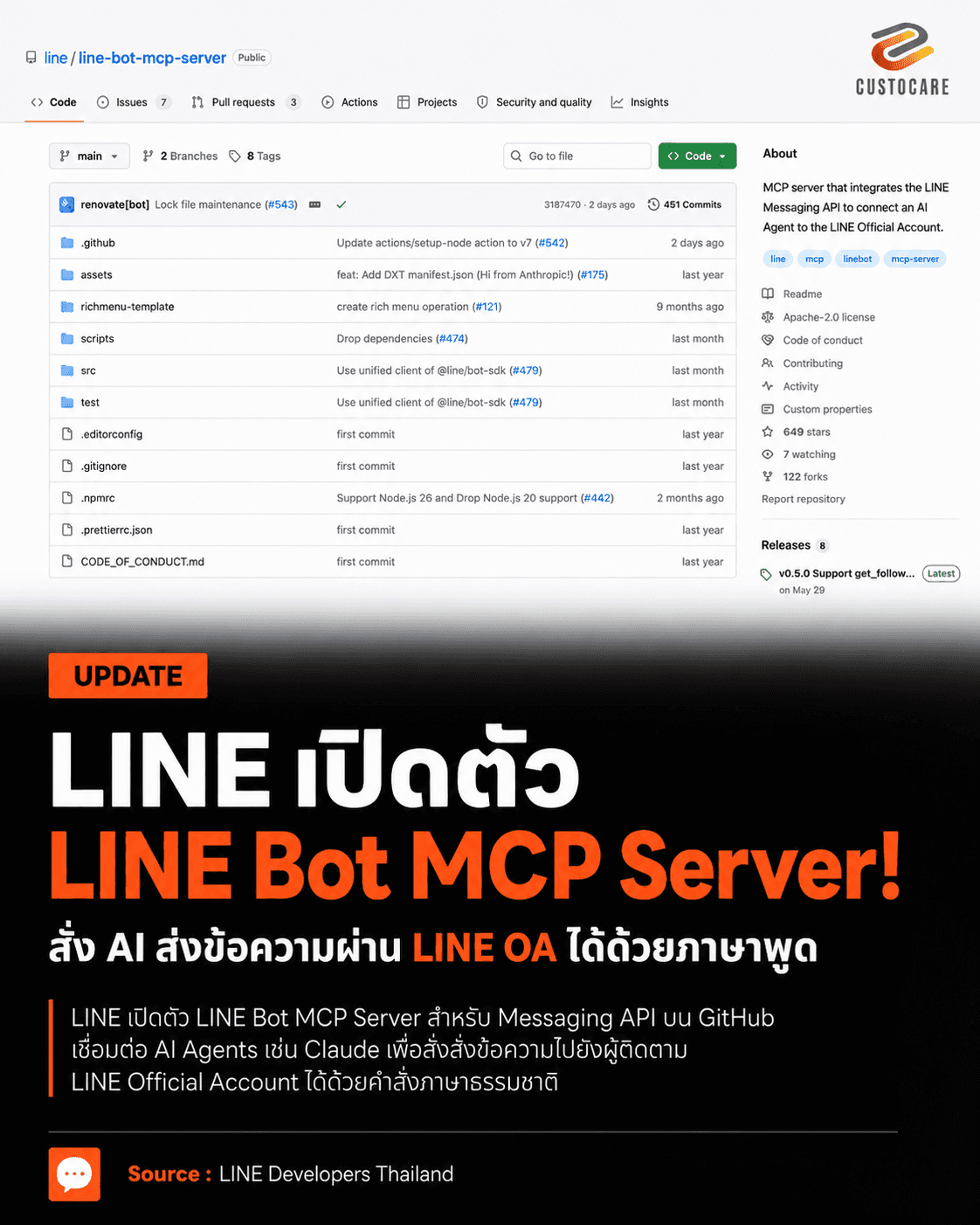
One of the examples closest to Thai businesses, because nearly every shop, brand and clinic in Thailand already has it, is LINE. LINE has recently released an open-source project called line/line-bot-mcp-server, which connects an AI agent directly to the LINE Messaging API. It lets AI operate a LINE Official Account through a standard set of commands, so you do not have to write code to call each API endpoint yourself.
What MCP is and why it matters
MCP stands for Model Context Protocol. Think of a USB-C port. USB-C defines a "standard plug" that lets devices from different brands talk to each other without model-specific cables. MCP does the same thing for AI: it is a common standard that lets an AI model connect to external systems, whether that is a database, local files, an accounting system, a calendar, a CRM or a communication channel like LINE.
Here is the difference. Before, if you wanted an AI to work with LINE, a developer had to write the API integration code, define the parameter formats and handle everything by hand. With an MCP server, each tool is already "explained to the AI": what it does, what input it takes and what result it returns. So you can give instructions in plain language, for example "send an appointment reminder to this customer". The AI understands the request, picks the tool that sends messages, fills in the User ID and content correctly, and sends the command to LINE.
This is the dividing line between an AI that "helps draft a message" and an AI agent that "actually sends it for you".
Opening the toolbox: 12 commands available now
The current version (v0.5.0) of the repo gives AI 12 tools to call, which fall into these groups.
Sending messages to individual customers: push_text_message sends plain text, and push_flex_message sends a Flex Message with a fully customizable layout. Flex Message suits content that needs to be laid out neatly like a small card in the chat, such as a product card, an order summary, an appointment slip, a coupon or a payment button. It supports both a single card (bubble) and a carousel that scrolls through several cards. In short, the AI does not just type text; it assembles JSON structures into messages that look like a mini UI.
Broadcasting to all followers: broadcast_text_message and broadcast_flex_message send to everyone who has added the OA as a friend at the same time. For example: "Write a clear shop holiday announcement and send it to all followers." This is powerful but also the part that needs the most care, because if the AI misreads a command even once, the message can go out to a large number of people immediately. Any production system should have a preview screen and require a person to confirm before every send.
Checking account and user information: get_profile retrieves a user's profile (display name, picture, status message, language), and get_message_quota checks the OA's monthly message quota and how much has been used. This lets the AI check status before acting, for example asking "how much of this month's sending quota is left?" before launching a campaign.
Managing Rich Menus: this group is complete. get_rich_menu_list lists menus; create_rich_menu creates a new menu (from 1 to 6 buttons, with several action types such as sending a message, opening a link, sending a postback, opening a date-time picker, opening the camera, sending a location, switching menus or copying text); delete_rich_menu deletes a menu; set_rich_menu_default sets the default menu; and cancel_rich_menu_default removes it. For example, a clinic owner can say "make a 6-button menu: Book an appointment, View services, Promotions, Map, Contact staff, Check my appointment", and the AI converts that into a Rich Menu structure.
Retrieving the follower list: get_follower_ids (added in the latest version) retrieves the User IDs of people who have added the OA as a friend. This reduces the work of preparing recipient lists and can be extended to connect with a CRM. This feature has an account-type condition: retrieving follower IDs through the API works only for verified accounts or Premium accounts, according to LINE's requirements.
What to understand clearly before setting expectations
This is the point people miss most often, and a misunderstanding here leads to designing the whole system wrong.
This MCP server works only on the outbound side. It can tell LINE to send messages out, but it does not "listen" when customers message you. Put simply, when a customer types a message, the MCP server never knows about it.
As for the project's maturity, the repo currently has about 593 stars and more than 108 forks, with 8 releases so far. The latest, v0.5.0, came out on 29 May 2026. It is written mainly in TypeScript and is open source under the Apache-2.0 license. The README states that it is still a preview version for experimentation, but development is clearly ongoing.
Why this matters for small businesses
Until now, having a "secretary" or an "automatic customer reply system" was something only large companies with budgets and development teams could afford, and small players could only watch. Tools like this are blurring that line. A solo shop owner, a freelancer or a small team can build an assistant on their own LINE: one that answers repeated questions, takes bookings and sends reminders before appointments to reduce no-shows, summarizes daily sales from what staff type in, or sends you a work summary every morning.
Getting started does not require being a programmer. The easiest way is to open a tool like Claude Code, tell it what you want, and let it help you connect this MCP server. You can learn by trial and error, and if something breaks you can fix it with nothing lost, because reading about this ten times is no substitute for doing it once yourself. If you try it and get stuck somewhere, come and share it with us.
Related links
Source code and documentation: github.com/line/line-bot-mcp-server